
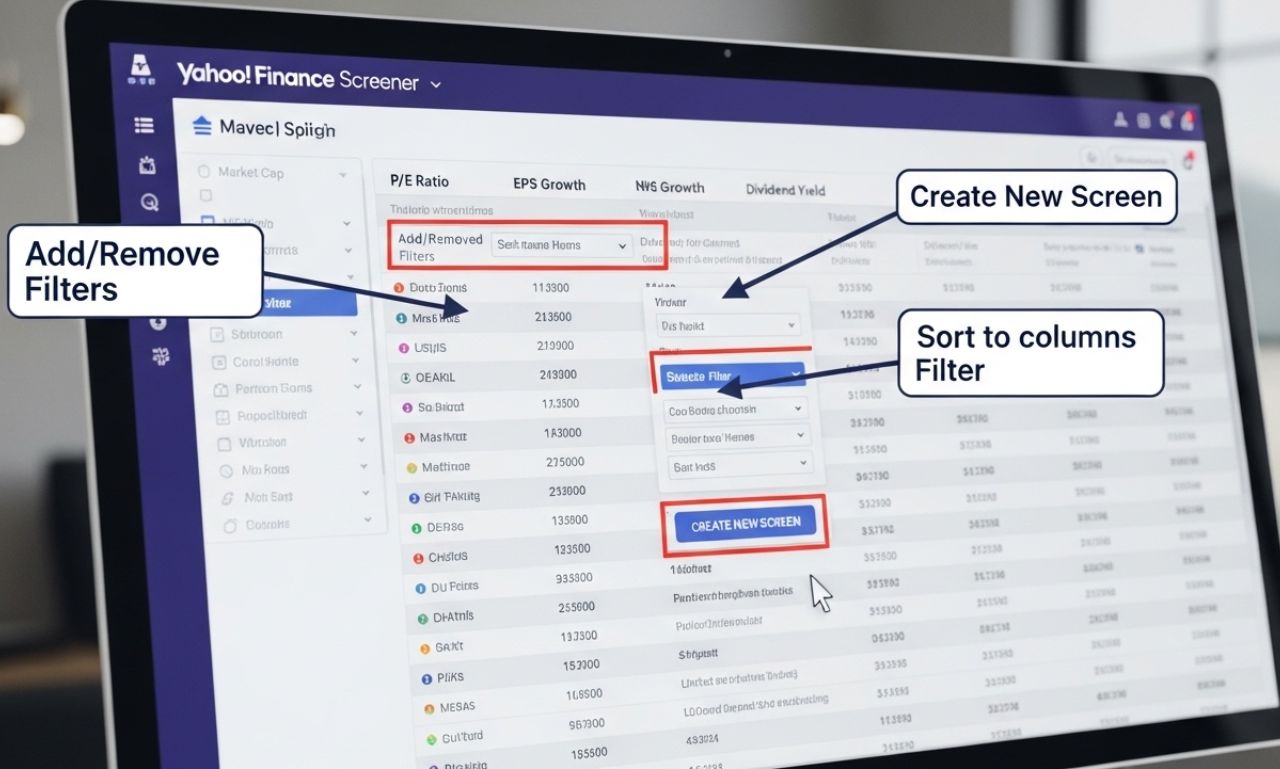
Yahoo Finance Screener is a powerful online tool that allows investors and traders to filter stocks based on specific criteria such as market capitalization, sector, dividends, financial ratios, and more. This Yahoo Finance feature makes it easier to identify investment opportunities, save time, and make informed decisions in the stock market.
What is Yahoo Finance Screener?
Yahoo Finance’s screener is an advanced search engine for stocks and funds that allows you to customize filters to find assets that meet specific financial criteria. With it, both novice and experienced investors can quickly analyze hundreds or thousands of companies to find the most attractive options based on their investment goals.
Main features
-
Customizable filters: You can filter by sector, industry, market capitalization, share price, dividend yield, and financial ratios such as P/E or EPS.
-
Alerts and tracking: Allows you to save searches and receive notifications when actions meet your criteria.
-
Complete financial data: Includes balance sheet information, cash flow, revenue, and key metrics.
-
Simple visualization: Presents results in tables that can be sorted by any column for easy analysis.
How to use Yahoo Finance Screener
Following these steps will help you get the most out of the tool:
1. Access the screener
Go to Yahoo Finance and select the “Stock Screener” option.
2. Define your filters
Choose the criteria that interest you most. For example:
-
Stock price between $10 and $50
-
Dividend yield above 3%
-
Market capitalization exceeding $1 billion
-
Sector: Technology or Healthcare
3. Analyze the results
The screener will display all stocks that meet your criteria. You can sort by any column, such as year-to-date performance, average volume, or P/E ratio.
4. Save your search
Create a Yahoo Finance account to save your filters and receive automatic alerts when new stocks match your criteria.
Benefits of using Yahoo Finance Screener
-
Time saving: Quickly filter hundreds of actions instead of reviewing each one manually.
-
Smarter analysis: Allows you to compare key metrics between similar companies.
-
Full customization: Adjust filters according to your investment strategy, whether it’s growth, dividends, or value.
-
Continuous monitoring: Stay updated on new opportunities that meet your criteria.
Tips for maximizing the screener
-
Combine several filters: Don’t limit yourself to just one; mix criteria such as price, sector, and financial ratios to refine your search.
-
Review historical data: Observe the evolution of price, EPS and dividends to assess stability and growth.
-
Don’t rely solely on the screener: Supplement it with qualitative analysis of the company and its industry.
-
Update your filters regularly: Markets are constantly changing; adjust your criteria according to the economic and stock market situation.
Practical examples
-
Dividend investing: Filter companies with a dividend yield above 4% and a reasonable P/E ratio to find stable companies that generate passive income.
-
Growth stocks: Select stocks with high EPS and consistent revenue growth to identify capital appreciation opportunities.
-
Specific sector: You can filter only companies in the technology or pharmaceutical sector according to your interests or knowledge.
Conclusion
The Yahoo Finance Screener is an essential tool for any investor who wants to make data-driven decisions. It allows you to filter, analyze, and track stocks based on customized criteria, offering an efficient approach to finding opportunities in the stock market. By using this tool strategically, you can improve your investments, optimize your time, and discover companies that truly align with your financial plan.